

Model Deployment
Web Dashboard
Deploy AI models through the ZETIC Melange web dashboard.
This guide explains how to deploy your models using the Melange Web Dashboard at melange.zetic.ai.
Step 1: Sign Up for Free
Access the Melange Dashboard to start accelerating your AI on-device instantly.
- Completely Free to Start: No credit card required.
- One-Click Login: Sign up in seconds using your Google or GitHub account.
- Instant Access: Immediately start creating projects and generating keys.
Go to Dashboard (melange.zetic.ai)
Step 2: Create a Repository
Set up a new repository to manage your model versions:
- Click the + button in the top-left corner.
- Enter your repository name (this will be part of your model identifier:
username/repository_name). - Add an optional description to document the repository's purpose.
- Click Create to finalize.
Step 3: Upload Your Model
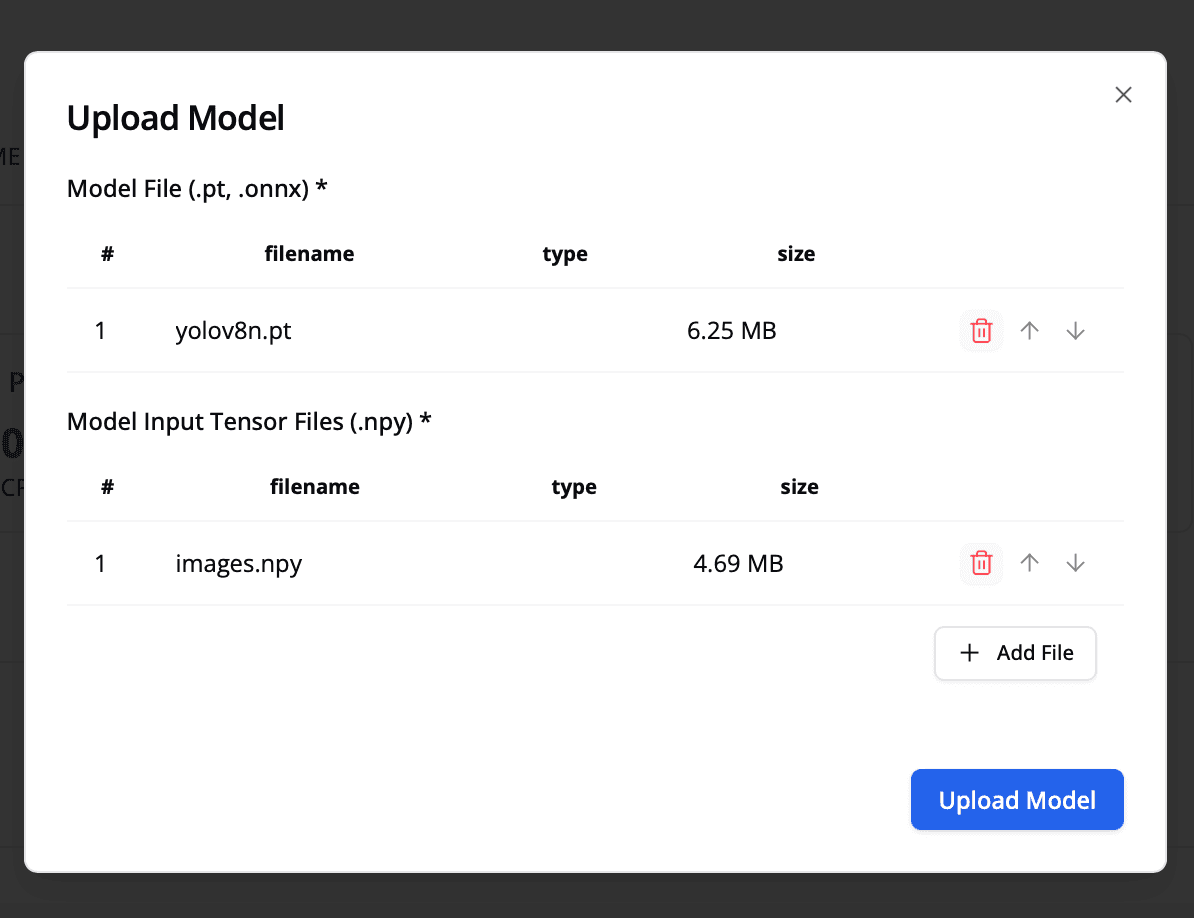
Deploy your model to the repository:
- Click the Upload button in the top-right corner.
- Provide the model path (local file or URL).
- Specify the input path(s) for your model.
- Click Upload to begin the conversion process.
Monitor Deployment Status
Your model will go through several stages:
| State | Description | Can Be Used? |
|---|---|---|
| Converting | Model is being converted to on-device format | No |
| Optimizing | Available for testing (not fully tuned) | Yes (sub-optimal) |
| Ready | Fully optimized and production-ready | Yes |
Ensure your inputs are in the correct order. Learn more about input ordering in Supported Formats.
Step 4: Use Your Model
Once your model reaches Ready status, integrate it into your application:
val model = ZeticMLangeModel(
    context,
    "PERSONAL_KEY",
    "username/repository_name"
)
let model = try ZeticMLangeModel(
personalKey: "personalKey",
name: "username/repository_name"
)final model = await ZeticMLangeModel.create(
personalKey: 'PERSONAL_KEY',
name: 'username/repository_name',
);Next Steps
- Understanding Model Keys: Learn about model identifiers and personal keys
- Android Setup: Integrate the SDK in your Android app
- iOS Setup: Integrate the SDK in your iOS app