

Understanding Model Keys
How model keys and personal keys work in ZETIC Melange.
ZETIC Melange uses two types of keys to manage model access and authentication: Model Identifiers and Personal Keys.
Model Identifier
Every model in Melange is referenced using the format username/repository_name. This identifier is used when initializing the model in your application.
username/my-model-repositoryRepository Structure
A Repository acts as a version control container for a specific model lineage. It maintains distinct versions of your artifacts.
username/my-model-repository
├── v1 (uploaded 2024-01-15)
├── v2 (uploaded 2024-02-20) ← default
└── v3 (uploaded 2024-03-10) ← latest
Versioning Policy
- Implicit Latest: Clients automatically pull the most recent upload unless pinned.
- Default Pinning: Administrators can designate a specific stable version as
defaultfor production channels. - Immutable History: All uploaded versions are preserved for rollback capabilities.
Using Model Identifiers in Code
val model = ZeticMLangeModel(
    context,
    BuildConfig.PERSONAL_KEY,
    "USERID/REPOSITORY_NAME" // Automatically resolves to 'default' or 'latest'
)
let model = try ZeticMLangeModel(
personalKey: personalKey,
name: "USERID/REPOSITORY_NAME" // Automatically resolves to 'default' or 'latest'
)final model = await ZeticMLangeModel.create(
personalKey: personalKey,
name: 'USERID/REPOSITORY_NAME', // Automatically resolves to default or latest
);Personal Key
The Personal Key is your persistent credential for SDK authentication and API access. Treat it as a high-value secret.
Generating a Personal Key
- Log in to the Melange Dashboard.
- Access Settings then Personal Key.
- Select Generate New Key.
- Copy immediately: the key is displayed only once.
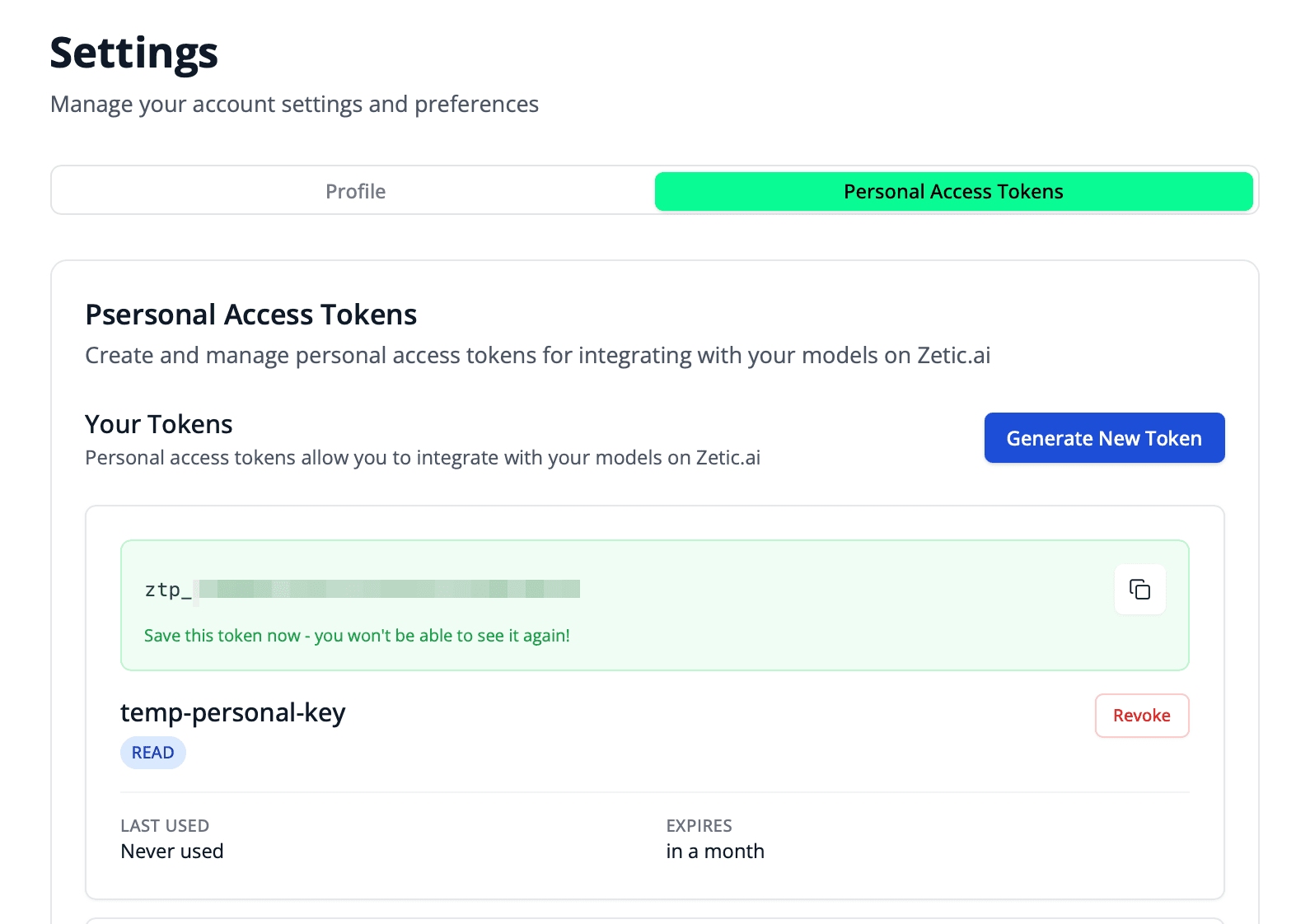
Store your personal key in a password manager immediately. It cannot be retrieved after the generation dialog is closed. If lost, you must generate a new key.
Best Practices
- Never hardcode personal keys directly in source code. Use environment variables or build configuration.
- Rotate keys periodically for security.
- Use separate keys for development and production environments.
Store the key in local.properties or BuildConfig:
val model = ZeticMLangeModel(
    context,
    BuildConfig.PERSONAL_KEY,  // From build configuration
    "USERID/REPOSITORY_NAME"
)
Store the key in a configuration file excluded from source control:
let model = try ZeticMLangeModel(
    personalKey: Configuration.personalKey,  // From config
    name: "USERID/REPOSITORY_NAME"
)
Store the key in a build-time configuration or secure runtime configuration:
final model = await ZeticMLangeModel.create(
  personalKey: appConfig.personalKey,
  name: 'USERID/REPOSITORY_NAME',
);
Deployment Status
Monitor the compilation and optimization status of your models on the dashboard:
| State | Description | Usable? |
|---|---|---|
| N/A | Repository initialized; awaiting upload | No |
| Failed | Validation or compilation error | No |
| Converting | Graph lowering and quantization in progress | No |
| Optimizing | Functional binary available; throughput tuning active | Yes (sub-optimal) |
| Ready | Fully compiled, tuned, and validated for production | Yes |
Models in the Optimizing state are executable but may not yet utilize the full NPU throughput. Use Ready artifacts for performance benchmarking.
Next Steps
- Web Dashboard: Manage repositories and models
- Performance-Adaptive Deployment: How Melange optimizes for each device