

ZETIC Melange
Deploy any AI model to iOS and Android, automatically optimized for CPU, GPU, and NPU.
Deploy any AI model to iOS and Android with automatic NPU acceleration. No hardware expertise required. Just upload your model, integrate the SDK, and ship.
Naming Convention
We use the name Melange for the product. However, you will see MLange in the source code and library names (e.g., ZeticMLangeModel).
Quick Start
Generate Model Key and Personal Key
Go to Melange Dashboard to generate your keys.
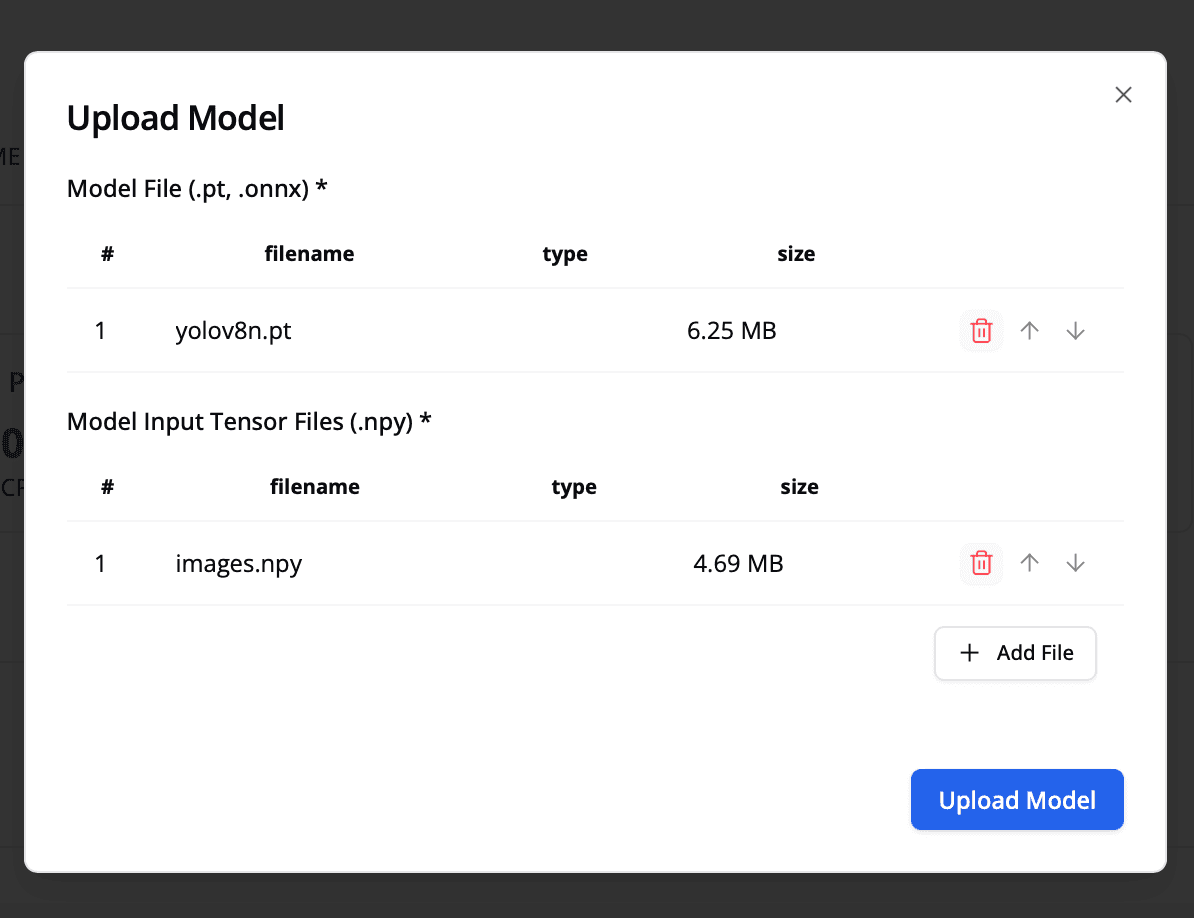
1. Upload & Auto-Compilation
Simply upload your model file to our dashboard. Melange automatically analyzes, quantizes, and compiles the graph for heterogeneous NPU targets in the background.
- Supporting model format:
- Pytorch Exported Program(
.pt2) - Onnx Model(
.onnx)
- Pytorch Exported Program(
2. Get Your Deployment Keys
Once optimized, specific keys are provisioned for your project.
- Model Key: The unique identifier for your hardware-accelerated binary.
- Personal Key: Your secure credential for on-device authentication.
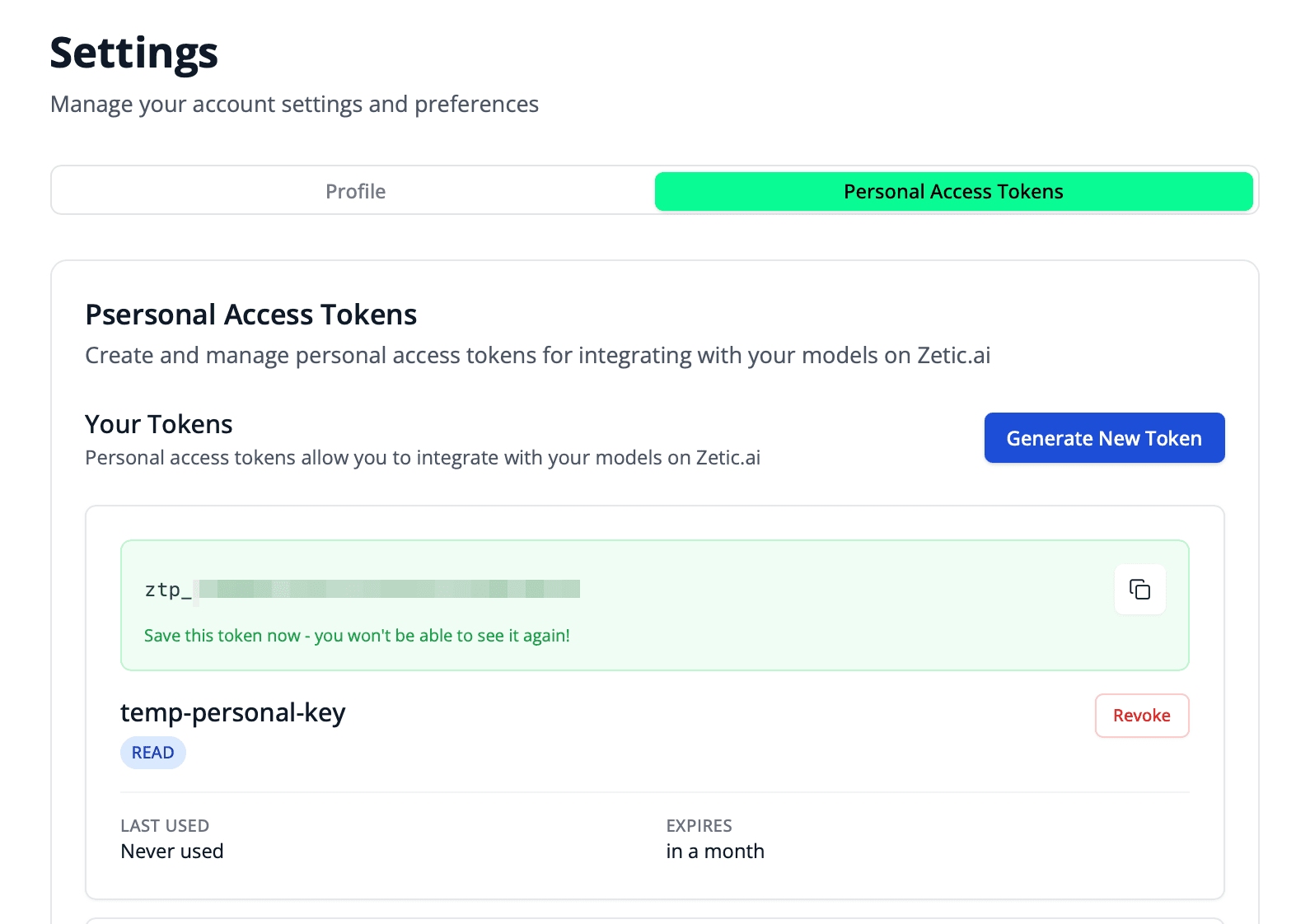
For comprehensive details on key provisioning and security policies, please consult:
The Melange Dashboard provides ready-to-use source code with your keys already pre-filled. You can simply copy and paste it directly into your project!
Integrate SDK & Run Inference
Initialize the ZeticMLangeModel with your keys to trigger hardware-accelerated execution.
val model = ZeticMLangeModel(this, PERSONAL_KEY, "Steve/YOLOv11_comparison")
val outputs = model.run(inputs)
let model = try ZeticMLangeModel(personalKey: PERSONAL_KEY, name: "Steve/YOLOv11_comparison")
let outputs = try model.run(inputs: inputs)final model = await ZeticMLangeModel.create(
personalKey: personalKey,
name: 'Steve/YOLOv11_comparison',
);
final outputs = model.run(inputs);The demo model key Steve/YOLOv11_comparison works without an account. Try it now in the Quick Start.
Why Melange?
Automated NPU Acceleration
No manual driver management. Melange handles hardware abstraction across Qualcomm, MediaTek, Samsung, and Apple chipsets.
Unified API
One API for Android and iOS. Write your integration once and deploy everywhere.
End-to-End Pipeline
From model upload to on-device execution. Automatic graph optimization, quantization, and compilation.
Production-Ready
Ship AI features in hours, not months. No C++, no OpenCL, no Metal shaders.
Performance
YOLOv11n on iPhone 16: CPU 102ms → NPU 1.9ms (54x faster)
Melange automatically selects the optimal hardware accelerator for each device and model, delivering peak performance without manual tuning. See full benchmark results.
Platform Support
| Platform | SDK | NPU Targets |
|---|---|---|
| Android | Kotlin / Java via Maven | Qualcomm HTP/DSP, Google Tensor, MediaTek APU (Enterprise), Samsung Exynos DSP (Enterprise) |
| iOS | Swift via SPM | Apple Neural Engine (A11+) |
Supported Model Formats
| Format | Extension | Status |
|---|---|---|
| ONNX | .onnx | Fully supported |
| PyTorch Exported Program | .pt2 | Fully supported |
Get Started
Quick Start
Run your first on-device inference with a demo model. No account required.
Tutorials
Step-by-step guides for object detection, face detection, speech recognition, and more.
Model Preparation
Prepare and export your model in ONNX or PyTorch Exported Program format.
Model Deployment
Upload your model on the Melange Dashboard and get your keys.
Platform Integration
Integrate the Melange SDK into your Android or iOS app.
API Reference
Full SDK documentation for Android and iOS.
Tutorials
Step-by-step guides for common on-device AI use cases:
Object Detection (YOLO)
Real-time object detection with YOLOv8/YOLOv11.
Face Detection
Detect faces in camera frames using MediaPipe.
Face Emotion Recognition
Classify facial expressions in real-time.
Speech Recognition (Whisper)
On-device speech-to-text with OpenAI Whisper.
Audio Classification (YAMNet)
Classify environmental sounds on-device.
Example Applications
Explore complete working examples for Android and iOS:
Need Help?
We are developing rapidly and welcome all questions and feedback.